Learn how all panel web developers build custom dashboards, manage business workflows, integrate APIs and create secure, scalable web applications.
All Panel Web Developers: Custom Website Solutions for Modern Businesses
All panel web developers help businesses plan and build web platforms that bring multiple operational functions into one organized system. Instead of managing separate tools for every task, businesses can use a centralized web application with dedicated dashboards, configurable workflows and access for different user roles.
Developing this type of platform requires more than writing code. Developers need to understand how the business operates, which teams will use the website, how information moves between modules and what the system may need as the business grows. A well-planned development project turns these requirements into a practical, maintainable web application.
What Do All Panel Web Developers Do?
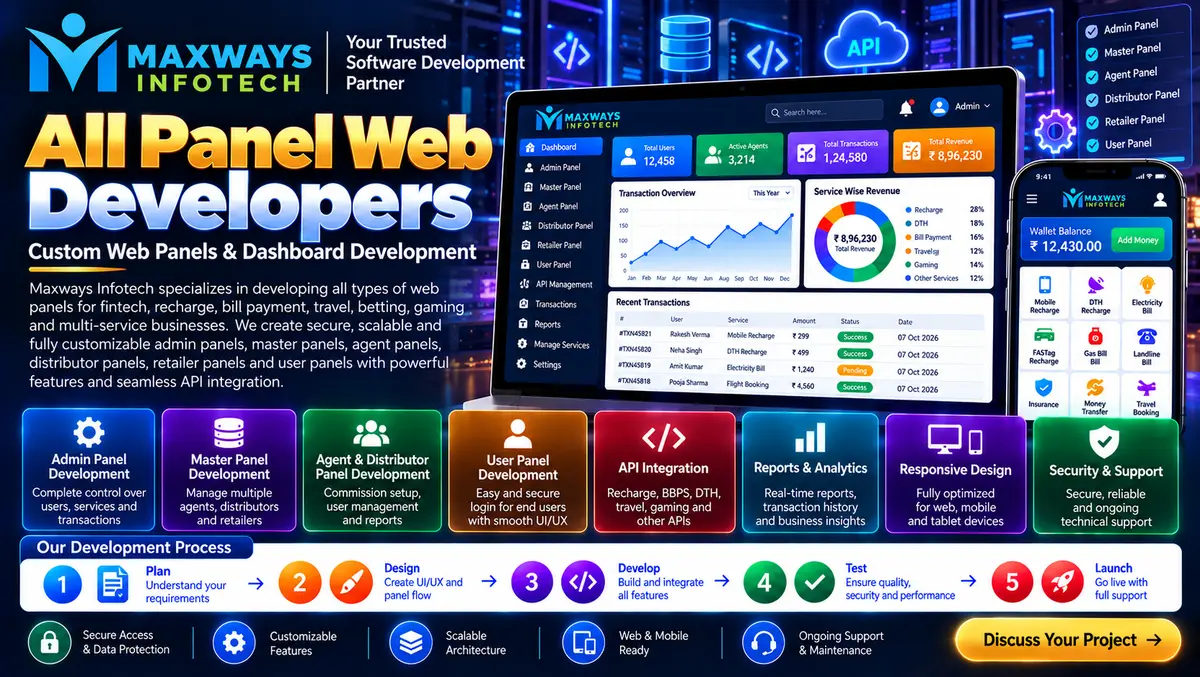
All panel web developers design and build websites that contain multiple connected panels. Each panel serves a particular purpose, while the overall platform follows a common technical structure.
Depending on the project requirements, an application may include:
-
Admin panel: Controls general settings, configuration and authorized management functions.
-
Master or management panel: Provides oversight of assigned operations and subordinate accounts.
-
Agent or partner panel: Supports specific activities assigned to approved business partners.
-
Customer panel: Allows customers to manage their profiles and access permitted services.
-
Reporting panel: Presents operational data, summaries and performance reports.
-
API management panel: Helps authorized administrators configure and monitor supported integrations.
Not every project needs every panel. Developers should identify the actual business requirements first and build only the modules that provide a clear purpose.
Why Businesses Need Custom All Panel Development
A business may start with spreadsheets, separate applications and manual reporting. As its operations expand, information becomes harder to coordinate, and employees may need to enter the same data in multiple places.
Custom all panel development can address these problems by bringing approved workflows into one platform.
Centralized operations
A shared application can help authorized teams manage information through a consistent interface. This reduces unnecessary switching between tools and can make routine tasks easier to track.
Workflow-based design
Different businesses follow different processes. A custom platform can reflect the order in which work is assigned, reviewed, approved and completed.
Better visibility
Role-appropriate dashboards can show pending tasks, recent activity, operational summaries and exceptions that require attention.
Room for future expansion
A modular application can make it easier to introduce new features without rebuilding every existing component, provided the original architecture supports that growth.
Businesses researching website and application development can visit Maxways Infotech to explore the company's online presence and available technology information.
Essential Skills to Look for in All Panel Web Developers
Choosing a developer should involve more than checking whether they can create a dashboard. The team should understand how the interface, application logic, data storage and integrations work together.
1. Frontend development
Frontend developers build the screens people interact with. Their work includes page layouts, navigation, tables, forms, filters and dashboard components.
HTML, CSS and JavaScript are common foundations. Frameworks such as React may be appropriate for applications that need reusable components and interactive interfaces.
The goal is not to use the newest framework automatically. It is to select technology that fits the project's requirements and can be maintained by the available team.
2. Backend development
The backend processes requests, applies business rules, checks permissions and communicates with databases or external services.
Developers may work with technologies such as PHP, Laravel, Node.js or other suitable server-side frameworks. The best choice depends on the existing environment, team expertise and project complexity.
3. Database design
A multi-panel application can contain users, records, transactions, permissions, reports and activity logs. Poor database design can create duplicated information, inconsistent results and slow queries.
Developers should plan data relationships, validation rules, indexing, backups and appropriate access restrictions before the platform becomes difficult to change.
4. API integration
APIs allow compatible applications to exchange data. An all panel website might use APIs to connect with an approved reporting service, customer-management system or other external business software.
Every integration needs clear documentation, appropriate authentication, error handling and monitoring. Developers should also consider what happens when an external service becomes unavailable.
5. Testing and debugging
A panel may look correct in a demonstration but still fail under real operating conditions. Developers should test workflows, permissions, data validation, performance, mobile layouts and error scenarios before release.
How a Professional Development Project Moves Forward
A clear project process helps reduce misunderstandings and makes it easier to evaluate progress.
Phase 1: Business discovery
The team discusses business objectives, existing tools, users, required features and operational challenges. The outcome should be a written scope rather than a vague promise to build an all-in-one website.
Phase 2: Workflow mapping
Developers document how information enters the system, which user handles each step and what conditions allow an action to proceed.
Phase 3: Technical planning
The team selects an appropriate architecture, database structure, development stack, hosting approach and integration strategy.
Phase 4: Prototype and interface design
Wireframes or prototypes show how users will move between panels. Early feedback can identify confusing navigation before significant development work is completed.
Phase 5: Module development
The team builds the application in manageable components. Each module should have a defined purpose and documented dependencies.
Phase 6: Quality assurance
Testing checks whether the application meets the agreed requirements. Security testing should include authorization checks, validation of inputs and review of sensitive operations.
Phase 7: Deployment and handover
The application is deployed to the agreed environment. The project handover should cover documentation, access credentials, backups, source-code terms and maintenance responsibilities.
Security and Reliability Are Developer Responsibilities
A centralized platform can concentrate important business functions in one place. That makes security planning especially important.
Professional developers should consider:
-
Role-based permissions enforced on the server.
-
Secure authentication and password storage.
-
HTTPS and secure session management.
-
Validation of user inputs and API requests.
-
Protection against common web application vulnerabilities.
-
Audit logs for important administrative actions.
-
Regular software updates and dependency reviews.
-
Tested backup and recovery procedures.
-
Monitoring for errors and unusual activity.
Security also depends on how the website is operated. Businesses need appropriate staff access policies, responsible credential handling and a process for responding to suspected incidents.
For projects involving financial records or payment-related workflows, Maxways Infotech's fintech section provides a relevant starting point for exploring fintech-related information. Any financial integration must be assessed separately for technical suitability, provider authorization and applicable legal requirements.
How Much Does All Panel Website Development Cost?
There is no single price that applies to every all panel website. The total cost depends on the work involved, the complexity of the system and the support required after launch.
Key cost factors include:
-
Number of panels and distinct user roles.
-
Custom interface and workflow requirements.
-
Database complexity and expected data volume.
-
Third-party APIs and integration fees.
-
Security, testing and audit requirements.
-
Hosting, backups and monitoring.
-
Documentation, training and ongoing maintenance.
A useful quotation should separate the initial development cost from recurring infrastructure charges and future support. It should also explain what is included, what counts as additional work and how changes to the scope will be handled.
Questions to Ask Before Hiring All Panel Web Developers
Before choosing a development team, ask questions that reveal how the project will actually be delivered.
-
Can the team explain its proposed architecture in understandable terms?
-
How will each user role and its permissions be defined?
-
What testing is included before launch?
-
How will external APIs and failed requests be handled?
-
What documentation will be supplied at handover?
-
Who will own the code and other project deliverables under the agreement?
-
What happens when a bug appears after deployment?
-
How will the platform be maintained and expanded?
Request a written scope with milestones and acceptance criteria. A transparent development plan is more useful than choosing a provider solely because it promises the lowest price or the fastest delivery.
Common Development Mistakes to Avoid
Building features before defining requirements: Unclear requirements often lead to rework. Document the business workflows before implementation begins.
Making every panel independent: Separate interfaces can still share data and common services. Unnecessary duplication increases maintenance effort.
Ignoring the actual users: Administrators, managers and customers have different needs. Each interface should be designed around the tasks its users perform.
Leaving security until the end: Permission checks, secure data handling and threat considerations belong in the architecture from the beginning.
Skipping handover documentation: A platform becomes harder to maintain if only the original developer understands how it works.
Underestimating maintenance: Software requires updates, bug fixes and periodic reviews even after a successful launch.
Frequently Asked Questions
What are all panel web developers?
They are developers or development teams that build web applications with multiple connected dashboards for different user roles and operational functions.
Can an all panel website be customized?
Yes. The panels, workflows, reports, permissions and integrations can be planned around the project's requirements. The exact scope depends on the development agreement.
Which technologies are used for all panel website development?
Possible technologies include HTML, CSS, JavaScript, React, PHP, Laravel, Node.js and databases such as MySQL or PostgreSQL. The appropriate stack depends on the application rather than the keyword or industry alone.
How long does development take?
The timeline depends on the number of modules, complexity, integrations, testing requirements and how quickly the project team approves designs and requirements. A reliable estimate needs a defined scope.
Why is ongoing maintenance important?
Maintenance helps address bugs, software vulnerabilities, changing dependencies, performance issues and new business requirements after launch.
Conclusion
All panel web developers play an important role in turning complex business processes into organized web applications. A successful project combines practical interface design, reliable backend logic, thoughtful database planning, appropriate integrations and security throughout the development lifecycle.
Businesses should evaluate developers on their technical approach, communication, testing standards, documentation and long-term maintenance plan. With clearly defined requirements and measurable milestones, an all panel website can become a useful operational platform rather than a collection of disconnected dashboards.
For more website development insights and technology-related articles, visit the Maxways Infotech blog. Use the information to prepare better project questions and compare development proposals against your actual business needs.