Explore all panel web developers, essential dashboard features, role-based access, custom development, security, and multi-panel website planning.
All Panel Web Developers: Building Connected Dashboards for Business Operations
Managing several business operations through separate applications can create unnecessary complexity. Teams may need to switch between different dashboards to review activity, manage accounts, check reports, and update system settings. All panel web development addresses this challenge by bringing the required functions together within a structured web application.
For businesses looking for all panel web developers, the important question is not simply how many panels a platform includes. It is how effectively those panels support different users, workflows, and responsibilities while keeping information organized and access properly controlled.
A well-planned system can make daily operations easier to understand, reduce repetitive tasks, and provide a more consistent experience for administrators and other authorized users.
What Are All Panel Web Developers?
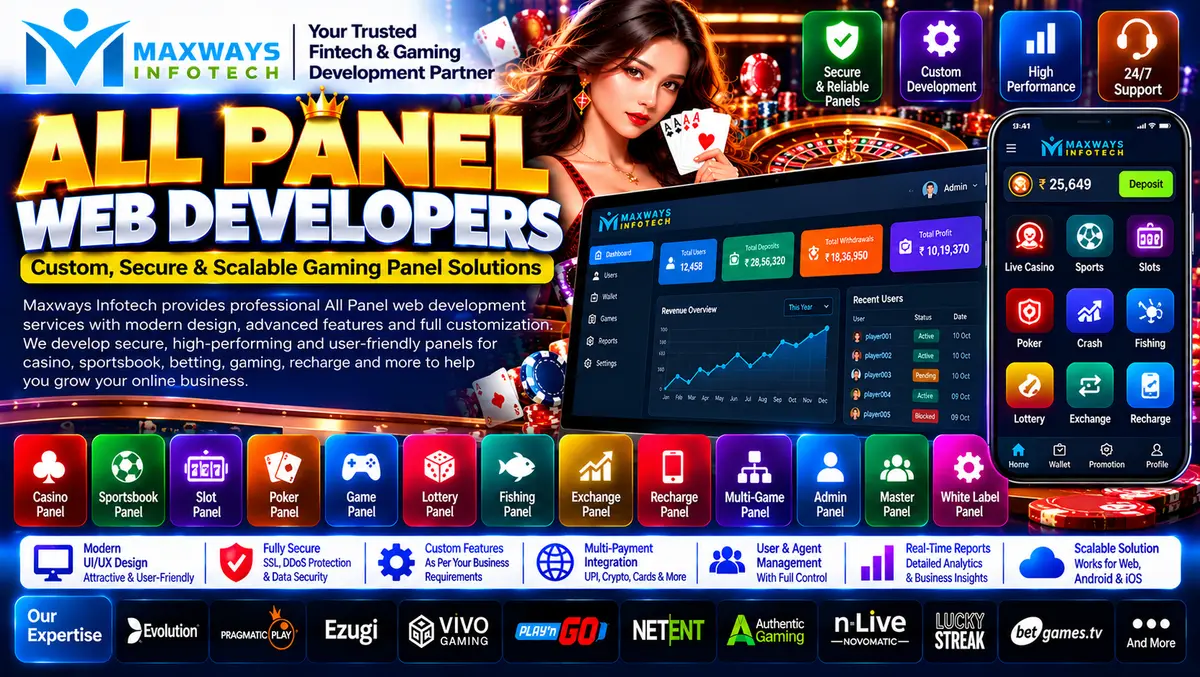
All panel web developers build web applications that combine multiple dashboards or management interfaces within one connected system. Each panel is designed for a particular role or purpose, with permissions determined by the application's requirements.
Depending on the project, an all panel platform may include:
-
Super administrator panel: Manages high-level configuration and authorized system-wide settings.
-
Administrator panel: Handles assigned operational tasks, user management, and reporting.
-
Manager panel: Provides access to specific workflows and performance information.
-
Agent or partner panel: Supports approved activities within a defined area of responsibility.
-
User panel: Gives individual users access to their permitted account features.
-
Reporting panel: Organizes operational data into summaries, filters, and downloadable reports.
Not every project needs every panel. Experienced developers begin by understanding the business process and then determine which interfaces are necessary.
For more information about the company and its online presence, visit the Maxways Infotech website.
Why Panel Structure Matters More Than Panel Count
Adding more dashboards does not automatically make a platform better. If two panels perform nearly identical tasks, they may introduce extra maintenance and confuse users. On the other hand, placing too many unrelated functions in one interface can make navigation difficult.
The goal is to create a logical separation between responsibilities.
For example, a business might need one interface for configuring the application, another for reviewing operational reports, and a separate interface for users who manage only their assigned records. Each interface should show the information relevant to its intended role.
A useful panel structure considers three questions:
-
Who uses this panel? Identify the user's role and responsibilities.
-
What actions are permitted? Define which records, settings, and functions the user can access.
-
What information is needed? Display the relevant data without overwhelming the interface.
This approach makes the application easier to navigate and helps developers establish clear rules for permissions and data access.
Essential Features of an All Panel Web Application
The required features depend on the business model, but several capabilities are commonly useful in multi-panel applications.
1. Role-Based Access Control
Role-based access control assigns permissions according to a user's role. An administrator may have access to configuration settings, while a manager may only review assigned information.
Permissions should be enforced by the backend, not just by hiding buttons in the interface. Every sensitive request must be checked against the user's authorization.
2. Centralized User Management
A unified user-management module can help authorized staff create accounts, update permitted profile details, manage access status, and review relevant activity.
The application should also define how accounts are created, how access is revoked, and how changes are recorded.
3. Task-Oriented Dashboards
A dashboard should help users complete their work efficiently. Instead of filling the screen with unnecessary charts, developers should prioritize the information and actions each role needs most often.
Search, filters, clear status labels, and consistent navigation can make large amounts of information easier to manage.
4. Reporting and Data Export
Reports can summarize activity across different parts of a business application. Useful reporting features may include date filters, category filters, totals, activity histories, and exports in approved formats.
Report permissions should match the underlying data permissions. A user who cannot view a particular record should not be able to access the same information through a report or export.
5. Notifications and Activity History
Notifications can alert authorized users when an important task requires attention. An activity history can record significant administrative changes, such as permission updates or configuration modifications.
Developers should define which events are recorded, how long records are retained, and who can view them.
6. Responsive Design
A multi-panel application should be designed for its intended devices. Tables, filters, navigation menus, and forms often need different layouts on mobile screens.
Responsive design should preserve usability rather than simply shrinking the desktop interface to fit a smaller display.
How Developers Design Connected Panels
An all panel platform requires more than several independent screens. The panels must work with the same underlying application rules and data structures.
A typical development process includes the following stages.
Requirement mapping: Document user roles, business workflows, information requirements, and the actions each role is allowed to perform.
Interface planning: Create wireframes for each panel and define a consistent navigation system. Repeated components should behave consistently across the application.
Data modelling: Determine how records relate to one another and how they should be created, updated, retrieved, and archived.
Backend development: Implement authentication, permissions, validation, business rules, and communication with the database.
Frontend development: Build the dashboards, forms, tables, filters, and status indicators required by each role.
Integration: Connect approved external services using documented APIs where required. Include authentication, error handling, and appropriate logging.
Quality assurance: Test workflows, permission boundaries, data consistency, browser compatibility, and performance.
Deployment and handover: Prepare the production environment, document configuration, and establish the maintenance process.
A staged process helps the business review important decisions before the application becomes more expensive to change.
Custom All Panel Development vs. Ready-Made Software
Businesses generally need to decide whether an existing product is sufficient or whether a custom application is justified.
A ready-made solution may be suitable when its existing features meet the requirements. Custom development can be worth considering when workflows, permissions, integrations, or reporting needs differ substantially from available products.
The decision should account for total cost, maintenance, security, licensing, and future requirements rather than the initial price alone.
Choosing the Right Technology Stack
The technology stack should be selected according to the application's complexity, expected workload, team experience, and maintenance requirements.
A project might use HTML, CSS, and JavaScript for interface development, with a framework such as React where appropriate. The backend could use Node.js, PHP, Laravel, or another suitable technology. Data storage might use MySQL, PostgreSQL, MongoDB, or a different database that fits the application's data model.
These are options, not a universal checklist. Using more technologies does not automatically produce a better platform.
Before choosing a stack, ask developers to explain how it supports:
-
The expected number of users and concurrent sessions.
-
Data consistency across multiple panels.
-
Authentication and permission enforcement.
-
API integrations and external dependencies.
-
Testing, deployment, and future maintenance.
-
Monitoring, backups, and recovery requirements.
For broader information on software and digital business topics, explore the Maxways Infotech fintech page.
Security Considerations for Multi-Panel Systems
An application with several user roles needs clear security boundaries. A weakness in one panel should not automatically give a user access to the functions or data of another role.
Important controls include secure authentication, server-side authorization, appropriate session management, input validation, protected API credentials, encrypted network communication, and timely software updates.
Developers should also test for common access-control problems. For example, changing a record identifier in a request should not allow a user to view or modify another user's information without permission.
Administrative actions may need audit records so authorized personnel can investigate important changes. Logs should be designed carefully to avoid storing passwords, secret credentials, or unnecessary sensitive information.
Security testing should take place throughout development and before production release, rather than being postponed until the end.
How to Estimate All Panel Website Development Costs
There is no single price that applies to every all panel project. Costs depend on the number of distinct workflows, the complexity of permissions, the amount of custom design, external integrations, reporting needs, testing, and maintenance.
Before requesting a quotation, prepare a feature list and separate essential functions from optional additions. Ask developers to estimate each major component independently.
A clear quotation should identify:
-
Included panels and features.
-
Design and revision limits.
-
Backend and database work.
-
API integration requirements.
-
Testing and security reviews.
-
Hosting and third-party service charges.
-
Source-code delivery and documentation.
-
Maintenance, support, and future change costs.
This makes it easier to compare proposals fairly and reduces the risk of unexpected charges after development begins.
Common Mistakes to Avoid
Some problems are caused by decisions made before coding even starts.
Giving every role excessive access: Permissions should reflect actual responsibilities. Broad access can expose data or allow unauthorized changes.
Building every panel independently: Separate interfaces still need consistent business rules, shared data definitions, and coordinated updates.
Ignoring the user experience: A dashboard packed with unrelated options can slow down routine work. Prioritize common tasks and clear navigation.
Skipping acceptance criteria: Define how each feature will be tested before implementation begins.
Overlooking maintenance: Applications require updates, monitoring, and occasional changes to integrations. Decide who is responsible for this work.
Failing to document the system: Without technical documentation and a clear handover, future developers may struggle to maintain the application.
For additional software and technology articles, visit the Maxways Infotech blog.
Questions to Ask Before Hiring All Panel Web Developers
Before selecting a development partner, ask:
-
How will you map the different roles and their permissions?
-
How will the panels share data while maintaining access boundaries?
-
What testing will confirm that unauthorized actions are blocked?
-
Which technologies do you recommend, and why?
-
How will reports, exports, and activity records be controlled?
-
What documentation and source-code handover will be provided?
-
Which costs are included in the quotation, and which are separate?
-
What maintenance and technical support options are available?
Look for clear, specific answers that match your requirements. A professional proposal should explain the approach, identify assumptions, and define the deliverables rather than rely on broad promises.
Conclusion
All panel web developers help businesses turn complex operational requirements into connected, role-specific web interfaces. The quality of the result depends on thoughtful workflow design, reliable data handling, clear permissions, usable dashboards, and a maintainable technical architecture.
Before starting a project, map the responsibilities of each user role, choose the right development approach, agree on measurable acceptance criteria, and establish ownership and maintenance arrangements. This gives the business a practical foundation for evaluating proposals and building a system that can evolve with its needs.