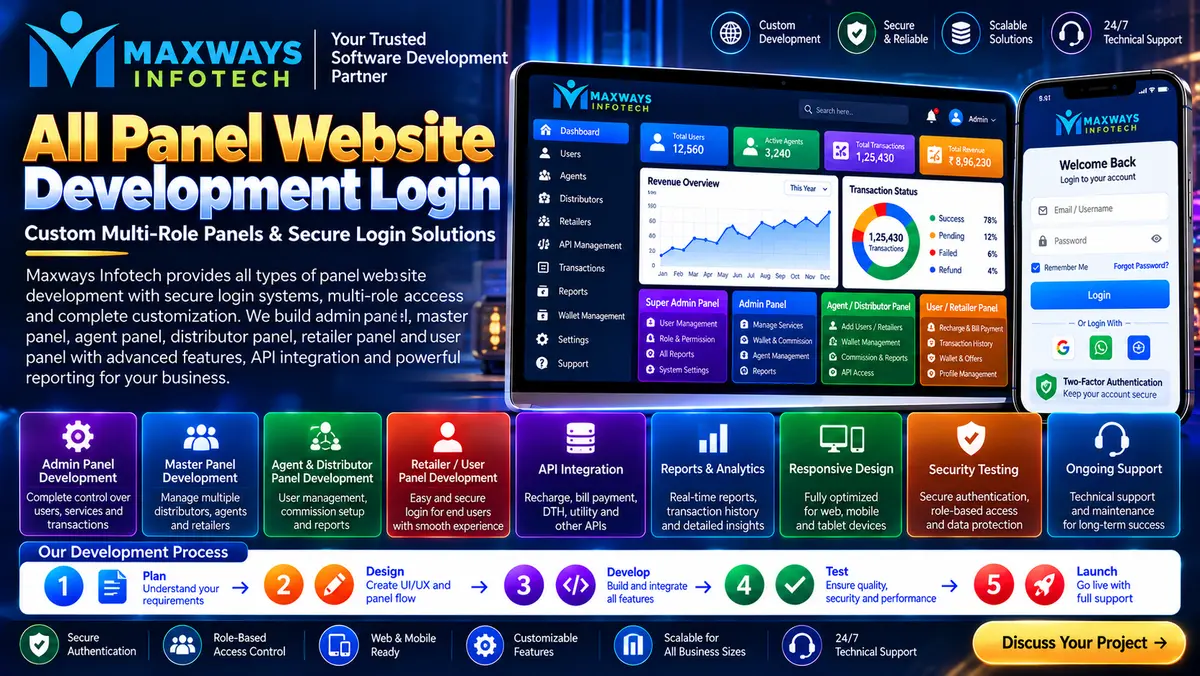
Explore all panel website development login features, secure authentication, user roles, dashboards, password recovery and essential security practices.
All Panel Website Development Login: Features, Security & Setup
All panel website development login is an important part of building a website where administrators, staff members and authorized users need controlled access to different dashboard features. A well-planned login system helps businesses manage accounts, protect sensitive information and organize daily website operations from one place.
A login page may look simple, but the system behind it needs careful planning. Authentication, user permissions, password recovery, session management and dashboard navigation all contribute to a reliable website experience. Before developing an all panel website, businesses should understand how these components work together.
What Is an All Panel Website Login System?
An all panel website login system is an access interface that allows authorized users to enter a website's management environment. Depending on the project, the platform may include an administrator dashboard, manager panel, staff accounts and a customer-facing portal.
Each account should have access only to the features required for its role. For example, a content editor may update website pages, while a system administrator manages account permissions and configuration settings.
The exact structure depends on the business model, the website's purpose and the information stored in its database.
Important Features of All Panel Website Development
A professional development plan should cover more than the login screen. The following features can make the complete platform easier to operate.
1. Secure User Authentication
Authentication checks whether a person is authorized to access an account. The development process should include secure password storage, login validation, session controls and protection against repeated password attempts.
For sensitive accounts, developers can also consider multi-factor authentication. This adds another verification step beyond a password.
2. Multiple User Roles
A multi-user panel needs clearly defined permissions. Common roles include:
-
Super administrator: manages system-wide settings and permissions.
-
Administrator: handles approved operational tasks.
-
Manager: oversees assigned users or business activities.
-
Staff member: performs specific day-to-day tasks.
-
Customer or client: accesses permitted account information.
These roles should be customized to the actual project rather than added unnecessarily.
3. Centralized Dashboard
After successful login, users should arrive at a dashboard relevant to their role. Useful elements may include notifications, recent activity, account status, important reports and shortcuts to frequently used tools.
A clear dashboard reduces unnecessary navigation and helps users complete routine work efficiently.
4. Password Recovery and Account Management
Users sometimes forget passwords or lose access to their accounts. A well-developed system should offer a secure password-reset process, account verification and appropriate session termination.
Password-reset links or verification codes should expire after a defined period. The system should never reveal an existing password in plain text.
How the Development Process Works
Building an all panel website is easier when the work is divided into defined stages.
Step 1: Requirement planning
Identify the users, panel types, permissions, required modules and data each account needs to access.
Step 2: Interface design
Prepare the login screen, dashboard layout, navigation menus and responsive views for desktop, tablet and mobile devices.
Step 3: Backend development
Build the authentication logic, database structure, permission checks and the business rules that connect the dashboard to the website.
Step 4: Security implementation
Configure password hashing, input validation, secure sessions, access restrictions and suitable protections against common web attacks.
Step 5: Testing
Test successful and unsuccessful logins, forgotten-password workflows, role restrictions, mobile layouts and simultaneous user activity.
Step 6: Deployment and maintenance
Configure hosting, HTTPS, backups, monitoring and a process for updating dependencies and fixing security issues.
Choosing a Development Approach for Your Business
The right solution depends on how much customization the website requires.
A ready-made panel may suit a project with standard features and a limited budget. Custom development may be more appropriate when the business needs specific workflows, different user roles, specialized reports or integrations with existing systems.
Businesses exploring software development options can visit Maxways Infotech to learn more about the company and its online presence before discussing project requirements.
Before selecting a solution, compare the development scope, expected maintenance, documentation, ownership terms and long-term upgrade requirements. A low initial price is not necessarily the lowest total cost if the system is difficult to maintain.
Login Security: What Developers Should Check
Security should be part of the initial design, not an item added just before launch.
-
Use HTTPS to protect data transmitted between the browser and server.
-
Store passwords using a suitable, modern password-hashing algorithm.
-
Enforce role-based authorization on the server, not just by hiding dashboard buttons.
-
Apply rate limits and appropriate protections against automated login attempts.
-
Use secure cookie settings and sensible session-expiration rules.
-
Protect forms and state-changing requests against relevant web attacks.
-
Record important administrative actions in audit logs.
-
Back up important data and test the recovery process.
-
Keep frameworks, libraries and server software updated.
A secure login system also needs a clear account-recovery process. Support staff should follow identity-verification procedures rather than asking users to share passwords or one-time verification codes.
Integrations and Business Data Management
Some websites need the login system to connect with customer records, reporting tools, payment services or other business applications. These integrations should be designed around clear permissions and validated data exchanges.
For projects involving financial information or fintech workflows, Maxways Infotech's fintech page is a relevant place to explore the company's fintech-related information. Any proposed integration should still be evaluated against the project's technical, security and regulatory requirements.
The development team should document API access, error handling, data validation and the process for managing failed requests. Sensitive information should not be exposed in browser logs or unnecessary dashboard fields.
SEO and Performance Considerations
A login page is generally not the main page intended to attract organic search traffic. Public pages describing the service, product or business should carry the relevant search-focused content.
Developers should consider the following:
-
Keep public marketing pages accessible to search engines where appropriate.
-
Prevent private dashboards and account pages from exposing sensitive information.
-
Avoid placing confidential data in URLs or page titles.
-
Optimize scripts, database queries and dashboard assets.
-
Use responsive layouts for different screen sizes.
-
Keep error messages helpful without revealing sensitive technical details.
SEO and security need to work together. Private account information should never be made public just to improve indexing.
Common Mistakes to Avoid
Some issues arise when developers focus only on making the login page look attractive.
Giving every user administrator access: This increases the consequences of a compromised account. Assign the minimum permissions required for each role.
Testing only successful logins: Incorrect passwords, expired sessions, disabled accounts and recovery flows must also be tested.
Ignoring mobile users: Small input fields and difficult navigation can make account access frustrating on phones.
Skipping documentation: Future developers need to understand how the authentication system, permissions and integrations work.
Treating launch as the end of development: Security updates, monitoring, backups and maintenance remain important after the website goes live.
Questions to Ask Before Starting Development
Before hiring a developer or choosing a platform, ask:
-
Which panels and user roles are included in the proposed scope?
-
How will passwords, sessions and account recovery be protected?
-
Can administrators configure permissions without changing code?
-
What testing will be completed before deployment?
-
Who owns the source code and project documentation?
-
What support, upgrades and maintenance are included?
-
How will backups and recovery be handled?
Clear answers help you compare providers on the quality of their work rather than promises alone.
Frequently Asked Questions
What is all panel website development login?
It refers to developing login and access-management features for a website that may contain multiple dashboards or user roles.
Which features should a website login panel include?
Typical features include authentication, password recovery, role-based access, session management, account controls and relevant dashboard tools. The final feature set depends on the project.
Is custom login development better than a ready-made panel?
Not in every situation. A ready-made panel may be suitable for standard needs, while custom development offers more flexibility when workflows and permissions are specific to the business.
How can I make an admin login more secure?
Use HTTPS, secure password hashing, server-side permission checks, rate limiting, secure sessions, appropriate verification and regular security updates.
Does a login page improve SEO rankings by itself?
No. A login page alone does not guarantee better rankings. Search visibility generally depends on relevant public content, technical quality, performance and other SEO factors.
Conclusion
All panel website development login requires a balance of usability, controlled access, security and maintainability. The best solution is not simply a page with a username and password; it is an access system that fits the website's actual workflow and protects the information behind it.
For additional website and software-related reading, explore the Maxways Infotech blog. Review the technical scope, security requirements, maintenance plan and ownership terms before committing to a development solution.
A clear plan at the beginning can help prevent access problems, reduce future redevelopment and give the business a more manageable website as its needs change.