Explore all panel API provider services, integration planning, data synchronization, API security, testing and tips for choosing a provider.
All Panel API Provider: Integration, Features and Selection Guide
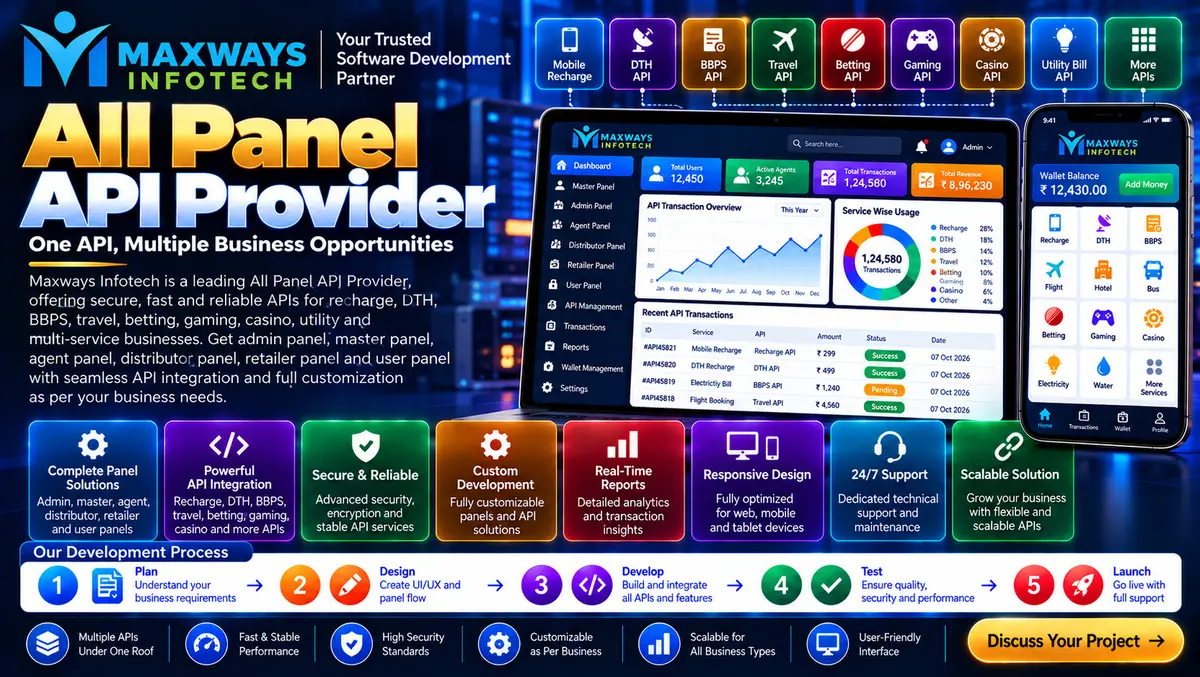
An All Panel API Provider helps businesses connect different software components through application programming interfaces (APIs). When a platform relies on multiple dashboards, databases or third-party services, APIs provide a structured way for those systems to exchange information and perform authorized operations.
However, choosing an API provider is not just about finding an API that works. Businesses also need to consider compatibility, data accuracy, documentation, access permissions, error handling and ongoing maintenance. A well-planned integration can simplify operations, while a poorly designed connection can create inconsistent records and unnecessary technical problems.
What Is an All Panel API Provider?
An All Panel API Provider supplies or develops API integrations that allow connected applications and panels to communicate with each other. The exact services depend on the provider and the project's requirements.
For example, a business platform might use APIs to connect:
-
An administrative dashboard with centralized application settings.
-
A customer portal with authorized account information.
-
A reporting interface with approved business data.
-
An internal application with an external software service.
-
A website with a supported payment or notification service.
The purpose is to exchange the information required by the application without unnecessarily duplicating business logic across separate systems.
Businesses researching technology providers can start by visiting Maxways Infotech and reviewing the company's published information before discussing a specific integration project.
How an All Panel API Connection Works
An API connection follows a defined request-and-response process. Although the details differ between systems, a typical workflow has several stages.
1. Request: A website or application sends a request to an API endpoint.
2. Authentication: The receiving service verifies the credentials or token used for access.
3. Authorization: The system checks whether the requesting account is permitted to perform the requested action.
4. Processing: The API validates the request and communicates with the relevant application logic or data source.
5. Response: The API returns a result, which may contain the requested information or an error explaining why the operation failed.
6. Recording: Where appropriate, the application records the result for auditing, reconciliation or troubleshooting.
A useful integration plan defines each stage before development begins. This makes it easier to identify where a failure occurred and which system is responsible for resolving it.
Types of APIs Used in Panel-Based Platforms
Different APIs serve different technical purposes. The right selection depends on the data, application architecture and expected workload.
REST APIs
REST APIs commonly use HTTP methods to retrieve or modify resources. They are widely used for web applications because their request patterns are straightforward to document and test.
WebSocket Connections
WebSockets provide two-way communication over a persistent connection. They can be useful when an application genuinely needs frequent updates without repeatedly making ordinary HTTP requests.
GraphQL APIs
GraphQL allows clients to request specific data fields through a defined schema. It can be useful when different interfaces need different views of related information.
Internal APIs
Internal APIs connect components within the same software environment. They can help keep application logic organized and allow separate modules to communicate through defined interfaces.
These technologies are not interchangeable in every situation. An experienced development team should explain why its proposed approach fits the project's requirements.
What to Check Before Selecting an All Panel API Provider
The quality of an API integration depends on more than the endpoint itself. Evaluate the following areas before committing to a provider.
API documentation
Documentation should explain available endpoints, request parameters, authentication requirements, response formats, error codes and rate limits.
Without clear documentation, developers may spend additional time investigating unexpected responses or working around undocumented behaviour.
Data compatibility
Confirm that the API returns the fields and formats your application needs. Check date formats, identifiers, currency representation, optional fields and how missing data is handled.
Authentication and permissions
Understand how credentials are issued, stored, rotated and revoked. Each integration should receive only the access it needs.
Availability and performance
Ask how service interruptions are communicated, whether usage limits apply and what monitoring information is available.
Version management
API changes can affect connected applications. The provider should explain its versioning policy and how developers will be notified about breaking changes.
Support and ownership
Clarify who handles integration errors, whether support is included, and who maintains any custom code developed for the project.
API Integration Planning: From Requirements to Deployment
A structured implementation process can reduce rework and make the integration easier to maintain.
Step 1: Define the data flow
Identify which application sends information, which system receives it and what each side is expected to do with the data.
For example, decide whether a reporting dashboard retrieves information when a user opens a page or whether the application stores periodic updates for faster reporting.
Step 2: Confirm access and compatibility
Obtain the official documentation and authorized API credentials. Confirm the permitted use, available endpoints, request limits and required permissions.
Step 3: Build a test integration
Use a development or sandbox environment where available. Test valid requests, invalid inputs, expired credentials and responses from unavailable services.
Step 4: Handle errors properly
The application should distinguish between authentication failures, invalid requests, rate limits, timeouts and server errors. It should not assume that every response represents a successful operation.
Step 5: Validate the returned data
Check the response structure before storing or displaying the information. Unexpected or incomplete data should be handled according to defined business rules.
Step 6: Deploy and monitor
Move the integration into production only after the agreed tests pass. Monitor error rates, response times and relevant operational events after launch.
Data Synchronization and Duplicate Records
Data synchronization is an important consideration when multiple panels depend on the same information.
Suppose an application receives an update from an external service but the response is delayed. If the application retries the operation without checking its status, it may accidentally process the same request more than once.
Developers can reduce this risk through appropriate techniques such as:
-
Idempotency keys for supported operations.
-
Unique request or transaction identifiers.
-
Duplicate detection and validation.
-
Clear rules for resolving conflicting updates.
-
Retry policies with appropriate backoff.
-
Reconciliation reports for important records.
The correct approach depends on the API's capabilities and the consequences of processing an operation twice. Financial or other sensitive workflows require particularly careful validation and reconciliation.
API Security: Protecting Connected Applications
Every connection creates an access path that needs to be managed carefully.
A responsible implementation should include HTTPS, secure credential storage, server-side permission checks, input validation and suitable request limits. API secrets should not be exposed in public repositories or browser-side code.
Developers should also avoid returning sensitive information when an application only needs a small subset of the available data. Logs should support troubleshooting without unnecessarily recording passwords, access tokens or confidential records.
For financial technology projects, Maxways Infotech's fintech section is a relevant place to explore the company's fintech-related information. Any financial integration must be assessed separately for technical compatibility, provider authorization and applicable legal requirements.
How Much Does All Panel API Integration Cost?
API integration costs vary according to the complexity of the project. A straightforward connection to a documented service may require less work than an application involving multiple APIs, custom business rules and extensive testing.
Important cost factors include:
-
Number of APIs and endpoints required.
-
Quality and completeness of API documentation.
-
Custom backend and frontend development.
-
Authentication and security requirements.
-
Data mapping and synchronization logic.
-
Testing and deployment.
-
External API access or licensing fees.
-
Monitoring, support and ongoing maintenance.
Request a quotation that separates implementation costs from recurring API fees, hosting and maintenance. It should also identify what happens if the external provider changes its API or introduces new requirements.
Common Problems During API Integration
Authentication errors
Requests may fail because credentials are incorrect, expired or missing required permissions. Developers should verify the authentication method and handle access failures safely.
Rate limiting
An API may restrict the number of requests allowed during a period. Applications should respect documented limits and use suitable caching or backoff strategies.
Inconsistent data
Different systems may use different identifiers, formats or update schedules. Define data mapping and validation rules before production deployment.
Timeout and service interruptions
A connected service may become temporarily unavailable. The application should handle failures gracefully and avoid assuming that a timed-out operation definitely failed.
Breaking changes
An external API update can change response fields or supported operations. Version management and integration tests help identify compatibility problems before they affect users.
Missing monitoring
Without useful logs and alerts, integration failures may remain unnoticed. Establish monitoring for important errors and operational events.
Frequently Asked Questions
What does an All Panel API Provider do?
An All Panel API Provider supplies or develops APIs and integrations that connect multiple software panels, services and data sources.
Can one API connect multiple dashboards?
Yes, when the API and application architecture support the required operations. Each dashboard must still enforce the correct permissions and access restrictions.
How long does API integration take?
The timeline depends on documentation quality, the number of endpoints, customization, testing and deployment requirements. An accurate estimate requires a defined project scope.
Is API integration secure?
It can be secure when implemented with appropriate authentication, authorization, encrypted communication, validation, credential management and monitoring. Security depends on the complete implementation.
Do all API providers include technical support?
No. Support varies by provider and agreement. Confirm the support hours, response expectations, maintenance responsibilities and charges before selecting a service.
How can I learn more about API development?
Start with official API documentation and technical guides covering authentication, HTTP methods, error handling, versioning and testing. For more software-related reading, explore the Maxways Infotech blog.
Conclusion
An All Panel API Provider can help businesses connect applications, organize data exchange and simplify interactions between different software components. However, a reliable integration requires careful planning, compatible data formats, secure access, proper error handling and ongoing monitoring.
Before selecting a provider, review the API documentation, integration scope, support arrangements, security practices and total cost. Testing the complete workflow before launch is equally important.
A well-planned API integration gives a business a clearer understanding of how its systems communicate and provides a more manageable foundation for future technical changes.